
TikTok Shop Live selling tools that keep up.
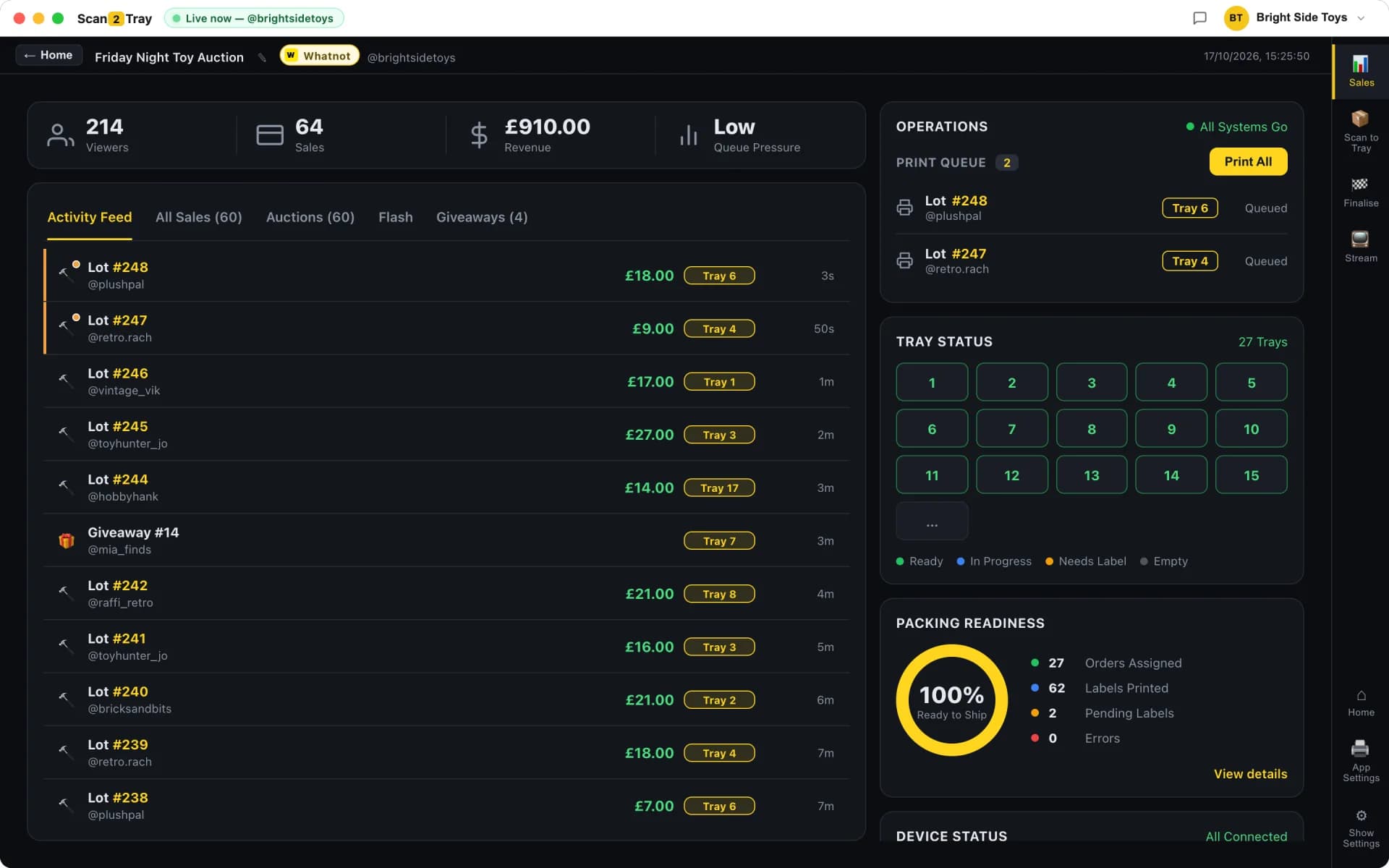
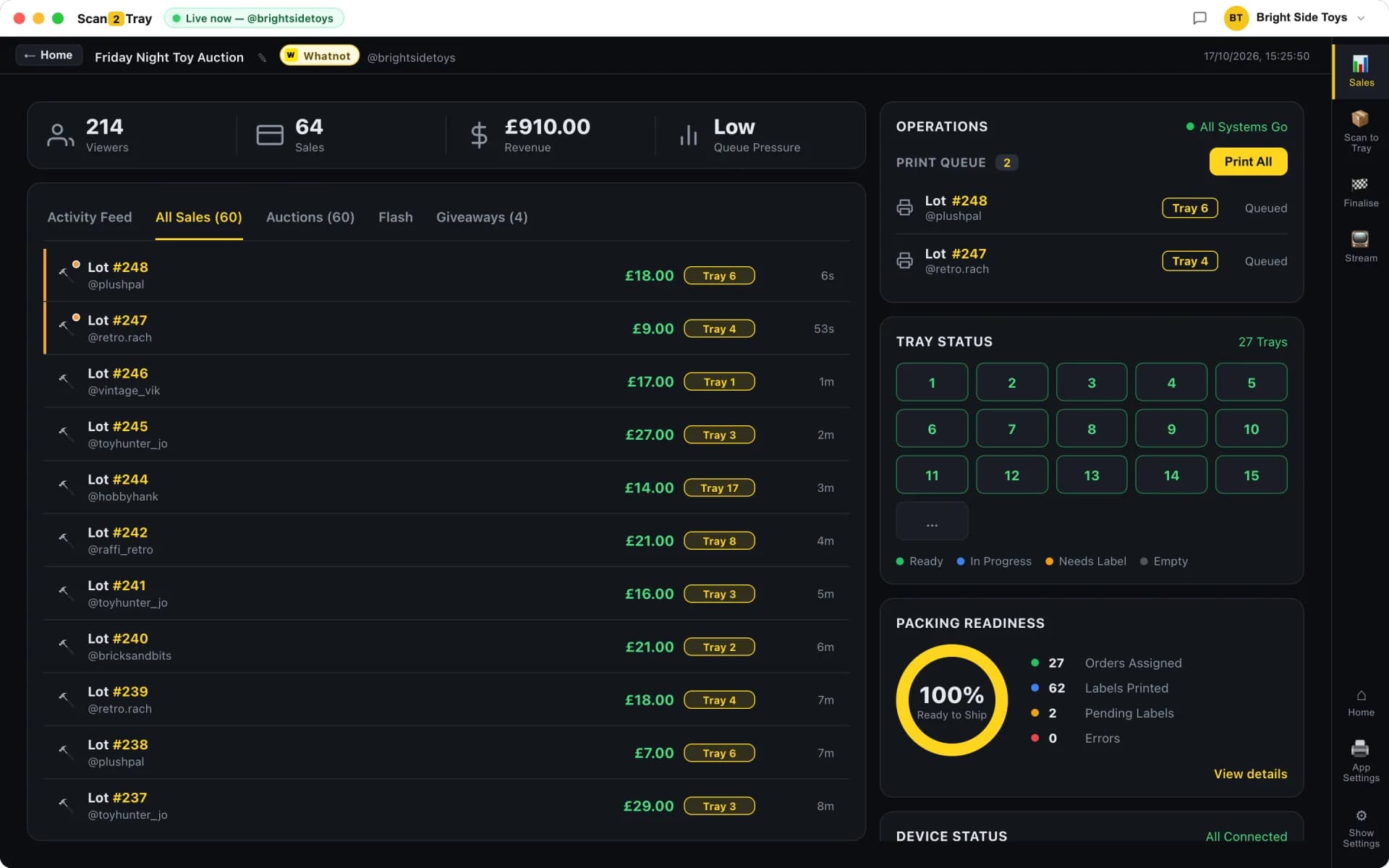
Scan2Tray is a desktop app for Mac and Windows that turns end-of-live TikTok Shop packing into a 30-minute job. TikTok Shop doesn't expose live sales to third-party apps yet, so on TikTok Scan2Tray runs in pre-show labels mode: pre-print barcode stickers before the live, stick one on each item as it sells, then import TikTok's shipping PDF when the live ends and scan every item straight into its buyer's tray. One subscription covers TikTok Shop Live, Whatnot and eBay Live.
Built for the pace of TikTok Shop Live
TikTok Shop Live moves fast — flash drops, low price points, and buyers who grab three or four items in a single stream. By the time the live ends you've got a mountain of sold items and no easy way to work out which parcel each one belongs in. That's the exact problem Scan2Tray solves.
Here's how it works on TikTok. Before the live, print a batch of numbered barcode stickers from Scan2Tray. As each item sells, stick the next sticker on it and keep going — no walking to trays, no writing names down. When the live ends, export TikTok Shop's combined shipping labels + packing slip PDF and drop it into Scan2Tray. It creates a tray for every buyer, reads which sticker numbers each buyer bought, and reprints the shipping labels in tray order. Then scan each stickered item and Scan2Tray tells you exactly which tray it goes in.
- Pre-printed barcode stickers — print up to 1,000 per batch before you go live
- Stick one on each item as it sells — nothing to scan or look up mid-live
- Import TikTok Shop's labels + packing slip PDF after the live — no CSVs, no manual entry
- A tray per buyer, created automatically from the packing slips
- Scan any item and see its tray instantly — USB scanner or the free mobile app
- Shipping labels reprinted in tray order so every parcel lines up with its label
- Same account works across TikTok Shop Live, Whatnot and eBay Live
Why TikTok works differently to Whatnot and eBay Live
On Whatnot and eBay Live, Scan2Tray listens to the stream and prints a tray-assigned label the moment each item sells. TikTok Shop doesn't expose live sales to third-party apps yet, so print-as-you-sell isn't available on TikTok right now. Instead, TikTok runs in pre-show labels mode — the same pre-printed-barcode workflow our highest-volume Whatnot sellers already use — and everything is finalised from TikTok's shipping PDF after the live. If TikTok opens up live sales, we'll add print-as-you-sell for it too.
One workflow across every platform you sell on
Plenty of sellers run TikTok Shop Live alongside Whatnot or eBay Live. However the sales come in, the packing end is identical — a tray per buyer, shipping labels in tray order, scan-verified boxing — on one subscription. A seller who splits their week across platforms never has to learn or pay for a second tool.
Desktop app, not another browser tab
Scan2Tray is a native desktop app for Mac and Windows. It connects to your label printer directly (no browser print dialogs), prints a batch of barcode stickers in seconds, and handles TikTok's multi-part PDF exports — a big live split across several files imports cleanly into one show.
Pre-show labels on TikTok, step by step
Most tools force your workflow to match the software. Scan2Tray fits around how you already sell: go live, sell, stick a sticker on each item, and let the packing sort itself out afterwards. No new process mid-live, no team training, no weekend spent reading docs.
Three steps — and the middle one is just selling.
1. Before the live — print your stickers
Pick a batch name and quantity (say, Toys × 500) and Scan2Tray prints a roll of numbered barcode stickers on your thermal printer. Selling more than 1,000 items? Split them into batches with different names. Set up a matching listing on TikTok Shop for each batch, so every sale carries its sticker number on the packing slip.
2. During the live — stick and sell
When an item sells, peel the next sticker, stick it on and keep selling. Pile everything to one side. That's the entire mid-live workflow — no scanner, no trays, no phone, nothing to break your rhythm.
3. After the live — import, scan, ship
Export the combined shipping labels + packing slip PDF from TikTok Shop and drop it into Scan2Tray. Trays are created per buyer and the shipping labels reprint in tray order. Then scan each item's sticker — with a USB scanner or the free mobile app — and drop it into the tray Scan2Tray shows you. Buyers who bought several items land in the same tray every time. Ship with your own provider? Upload just the packing slips and add your labels PDF afterwards.
- Barcode-verified packing — scan item, scan tray, Scan2Tray checks the match
- Free mobile companion app for iPhone and Android
- Team mode — several packers scanning in parallel from their own phones
- Lives split across several TikTok PDFs import into one show
Hardware we support
Scan2Tray works with standard off-the-shelf hardware. A USB thermal label printer that takes 50mm × 25mm label rolls is all you need to print stickers. If you don't have one, we sell a starter bundle with a printer, label roll holder and one roll for £129.99. For scanning after the live, use any USB barcode scanner or the free mobile app on your phone.
Free to start. One subscription, every platform.
No add-ons, no per-platform pricing, no surprise upsells. Your subscription covers TikTok Shop Live, Whatnot and eBay Live together, with the desktop app for Mac and Windows and the free mobile companion for your team. Start free and run real lives end to end; upgrade only when you scale past the free allowance.
No credit card required to start. Sign up, set it up, and run real lives free. Upgrade when you grow — and cancel anytime.
Scan2Tray vs packing TikTok Shop Live by hand
Most TikTok Shop Live sellers start out packing with a spreadsheet exported from Seller Center, a pile of sticky notes, and memory. Here's what changes.
| Manual / spreadsheet | Scan2Tray Pre-show labels | |
|---|---|---|
| Time to pack 500 orders | 4-6 hours | ~30 minutes |
| Sale → sorted into buyer tray | Manual lookup every time | Scan the sticker, see the tray |
| Buyers who win several items | Prone to being split across parcels | Same tray every time, automatic |
| Shipping labels matched to parcels | Hunt for the right one | Stack reordered to match trays |
| Mispacks per 1,000 orders | 2-5 typical | Zero |
| Selling on Whatnot / eBay Live too | A second, separate tool | Same app, same subscription |
| What you need to set up | Spreadsheets + sticky notes | Print stickers, import the PDF after |
Common questions
Does Scan2Tray work with TikTok Shop Live?+
Yes, with pre-show labels mode. Pre-print barcode stickers before the live, stick one on each item as it sells, then import TikTok Shop's combined shipping labels + packing slip PDF after the live. Scan2Tray creates a tray per buyer, reprints the labels in tray order and tells you which tray each item belongs in when you scan it. TikTok Shop Live is included in the same subscription as Whatnot and eBay Live at no extra cost.
Does Scan2Tray print a label the moment an item sells on TikTok?+
Not yet. TikTok Shop doesn't expose live sales to third-party apps, so print-as-you-sell (Simple Mode) currently works on Whatnot and eBay Live only. On TikTok the workflow is pre-show labels mode: pre-printed stickers during the live, then everything is finalised from TikTok's shipping PDF after the live. The end result — a tray per buyer, labels in tray order, zero mispacks — is the same.
Do I sell on more than one platform — is that extra?+
No. One Scan2Tray subscription covers TikTok Shop Live, Whatnot and eBay Live together. Connect any or all of them and pack every show with the same tray workflow. There's nothing separate to buy per platform.
Do I need a barcode scanner for TikTok Shop Live orders?+
You'll need something to scan the stickers with after the live — either a cheap USB barcode scanner or the free Scan2Tray mobile app on your iPhone or Android, which uses the camera. Nothing needs scanning during the live itself; you just stick the sticker on and keep selling.
Which PDF do I import from TikTok Shop?+
The combined shipping labels + packing slip export for the live. Scan2Tray reads the buyer and sticker numbers off each slip and pairs them with the right label. If you ship with your own provider, upload just the packing slips and we'll ask for your labels PDF afterwards. Big lives that TikTok splits across several PDFs import into the same show.
Is Scan2Tray an official TikTok Shop integration?+
Scan2Tray is built by live sellers for live sellers. It's not an official TikTok product, and it doesn't need API access or approval — it works from the PDF exports you already get from your TikTok Shop seller account.
How long does it take to learn?+
Most sellers are packing their first TikTok live within ten minutes of downloading the app: print a batch of stickers, go live, import the PDF afterwards. There's nothing to configure beyond loading a roll of labels into your printer.
How much does it cost?+
Start free with no card — run your first lives and use every feature end to end. Paid plans start at £15/month once you outgrow the free allowance, with Unlimited at £39.99/month. Every plan covers TikTok Shop Live, Whatnot and eBay Live. Cancel anytime.
Related reading
Whatnot seller tools
Print-as-you-sell on your Whatnot shows — included in your subscription.
eBay Live seller tools
Print-as-you-sell on your eBay Live shows, same subscription.
Shipping in tray order
Print shipping labels in tray order, so every parcel lines up with its label.
High-volume packing
Running 500+ sales a live? Here's how sellers pack 1,000 orders in an hour with one person.
Start completely free.
Pack real shows end to end — scanning, trays, label printing, the lot — before you pay a penny. Every plan covers Whatnot, TikTok Shop and eBay Live in one subscription. Upgrade only when you outgrow the free allowance.
No card required to start
Run your first couple of shows free and see Scan2Tray work end to end.
Get started — free- Run your first shows on us — no card needed
- Whatnot, TikTok Shop & eBay Live included
- Full live sale capture & auto-assigned trays
- Barcode & shipping label printing
- macOS and Windows apps included
- Upgrade any time as you grow
For regular sellers running shows every week.
Choose Standard- Unlimited shows
- Up to 150 items per show
- Live sale capture & auto label printing
- Revenue tracking & reports
- Priority email support
For high-volume sellers and teams with no limits.
Choose Unlimited- Everything in Standard
- Unlimited items per show
- Unlimited scans
- Advanced modes for rapid sellers
- Export & advanced reports
Prices shown in your local currency. Cancel anytime — your data stays yours.